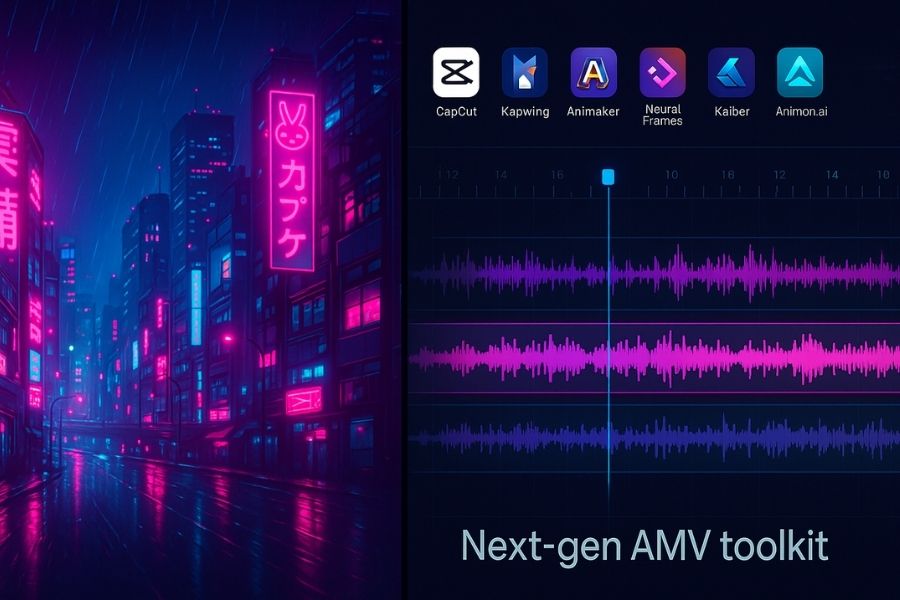
Anime music videos (AMVs) have left the fringe. On TikTok the #amv hashtag now tops 24 billion views, while YouTube overflows with lo-fi loops built from AI-generated frames. New browser-based editors let you trim raw clips, drop prefab characters, or spin up full-4K sequences in minutes, no pro suite required.
This guide reviews six of the best AMV tools for 2026, noting which one cuts footage fastest, which assembles storyboards in a click, and which AI engine syncs visuals to every beat.
At a glance: which tool fits which job?
A quick comparison helps you spot deal breakers such as free limits, watermark policies, and whether 4 K sits behind a paywall before you dive into each review.
| Tool | Best for | Free access | Max export | Music-sync depth | Entry price* |
| Neural Frames | Full AI videos driven by audio stems | Trial credits | 4 K | Multi-stem reactivity | $13/mo |
| CapCut | Editing existing clips for TikTok/YouTube | Yes | 1080 p free (4 K with Pro) | Manual timeline plus beat templates | $0 |
| Kapwing | Rapid social snippets | Yes | 720 p free (1080 p/4 K Pro) | Basic timeline | $0 |
| Animaker | Drag-and-drop story scenes | Yes (watermark) | 1080 p+ on paid tiers | Manual timeline | $15/mo |
| Kaiber | Prompt-to-video sequences with auto beats | No free tier; $5 five-day trial | 1080 p | Beat-based reactivity | $5 trial |
| Animon.ai | Unlimited AI anime generation | Free demo (watermark) | Up to 2 K (Studio tier $49.90/mo) | Prompt-timed scenes | $9.90/mo |
Pricing pages verified November 12, 2025. Always confirm current rates; plans change quickly in the creator-tool market.
Edit the anime you already have
You already own the footage, so you need an online editor that keeps the beat and skips the watermark. Two options dominate this bring-your-own-clips workflow.
Neural Frames: audio-reactive AI for granular control
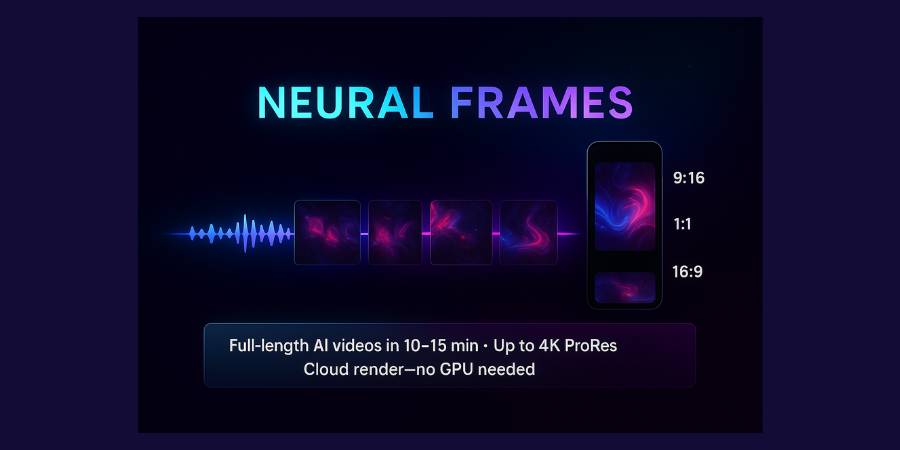
Neural Frames greets you with a timeline that feels closer to Ableton Live than Premiere. Drop a track and the platform splits it into up to eight stems, drums, bass, vocals, and more, so each sonic layer drives its own visual knob. Kicks punch camera zooms, hi-hats flash neon edges, and a soaring vocal bloom shifts the colour grade in real time.
Three creation paths fit different deadlines:
- Autopilot produces a finished clip in minutes.
- Text-to-video lets you pin prompts, cyberpunk alleys for the verse, cherry-blossom haze for the bridge, directly on the timeline.
- Frame-by-frame mode hands you keyframes and modulation curves for millisecond accuracy.
Pricing scales with ambition. The entry $13/mo Neural Navigator tier renders 1080 p but skips stem extraction. Neural Knight at $26/mo adds stems and audio-reactive effects, while true 4 K appears at $66/mo on the Neural Ninja plan. All tiers include GPU acceleration and trial credits.
A Discord community of more than 23 000 artists shares presets, so you rarely stay stuck. Choose Neural Frames when every snare hit deserves its own flare and you accept a steeper learning curve for scene-by-scene precision.

Craft anime from thin air
Ready to skip footage hunting entirely? Generative tools can create fresh frames from a text prompt or a simple beat. Neural Frames builds those visuals on a DAW-style timeline that automatically detects tempo and splits your track into stems, so kicks, bass and vocals can each trigger their own effect.
According to Statista, the U.S. generative-AI market is projected to reach US$21.7 billion in 2025, and these platforms turn your song into a brand-new anime scene without a drawing tablet.
CapCut: pro polish without the price
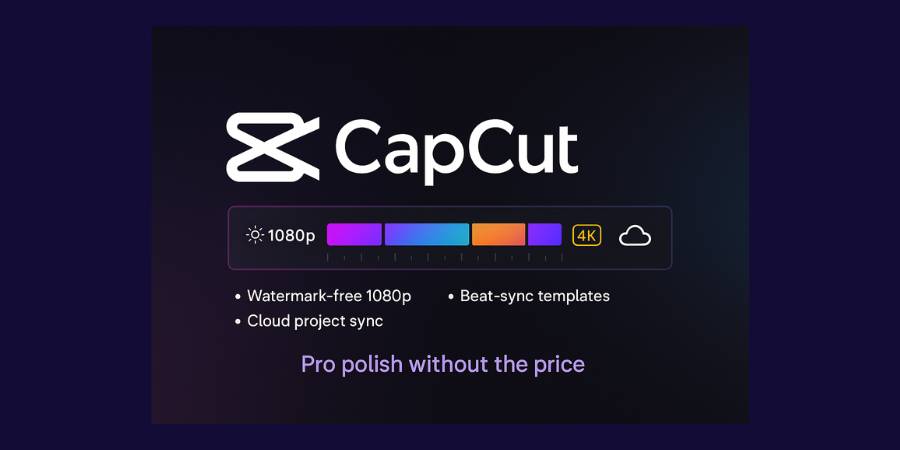
CapCut has logged more than one billion downloads across app stores, making it the default for TikTok-style edits. Its web and desktop versions support timeline slicing, speed ramps, and auto captions. Free users export watermark-free up to 1080 p; the Pro plan unlocks 4 K, larger cloud storage, and premium effects. According to TechCrunch, ByteDance is reportedly planning a U.S-specific version of CapCut. Beat-sync templates drop cuts on each snare so you fine-tune instead of starting from scratch. Projects live in the cloud, letting you rough-cut on a phone at lunch and refine colour on a laptop after class.
Drawbacks: a July 2025 update moved 4 K export and voice extraction behind Pro, upsetting some long-time users on Reddit. If you must stay on free 4 K, pick a different tool or locate an earlier build.
Kapwing: rapid browser edits for social bursts

Kapwing shines when speed matters more than precision. Open any modern browser, drag in a 30-second One Piece clip, and the timeline auto-sizes to 9:16. The free plan exports unlimited 720 p videos up to four minutes with a small watermark; Pro removes the mark and raises resolution to 1080 p (4 K is in beta). Auto-subtitle processes ten free minutes per month.
You will not find bezier curves or nested sequences: Kapwing focuses on publishing a meme or teaser before the trend cools. Use it for quick promos, reaction loops, or proof-of-concept cuts, then move to CapCut or a full DAW when you need deep control.
Animaker: storyboard power for non-artists
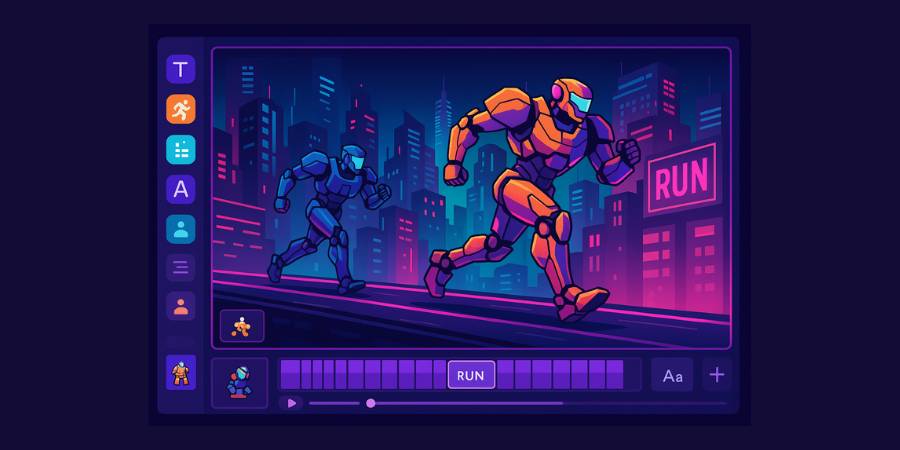
Hear a melody and picture two mecha sprinting across neon rooftops, even if you cannot sketch a line? Animaker’s browser editor bridges that gap with drag-and-drop characters, looping actions, and ready-made cyber-city backdrops. Pick a hero, click run, and the software auto-keys the motion so you focus on pacing instead of artwork.
A timeline lets you nudge each kick-drum hit to a frame. Need the chorus to land on a slow-motion explosion? Stretch the action block and Animaker retimes the tween automatically. Character panels unlock eye-colour swaps, outfit changes, and emoji-style expressions; text layers handle karaoke lyrics while camera controls add gentle pans and zooms.
Trade-offs: you are limited to the in-house asset library unless you import PNGs, and the free plan stamps a watermark and exports below Full HD. Starter unlocks 1080 p, Pro bumps to 2 K, and Enterprise reaches 4 K.
Use Animaker when speed-to-story beats photoreal polish. It suits lyric videos, explainer skits, or an afternoon experiment that turns a tune in your head into a three-minute anime short.
Kaiber: prompt-to-video visuals that move to your beat
Kaiber merges text prompting with a music-video brain. Type “retro-future Tokyo, rain-slick streets, cel-shaded highlights,” upload a track, then adjust two sliders: Style Intensity and Motion, to shift from gentle watercolor drift to frenetic battle-scene cuts.
Beat sync happens automatically. Kaiber analyses the waveform and flashes accents on each transient, so snares ignite neon bursts while bass drops shake the camera. The same engine has powered lyric videos for artists such as Kid Cudi and Linkin Park, according to TechCrunch, ideal if you’re working with Japanese TikTok songs.
Pricing centres on a $5 five-day Creator trial (300 credits) or a $29/mo Creator subscription; a pay-as-you-go Flex tier is also available. Clip length depends on the model: Flipbook supports up to eight minutes, while many Veo or Kling models stop at eight seconds.
Creators like the low barrier. Start from pure text, seed with an illustration, or transform a selfie into anime. Faces can still warp and backgrounds may loop, yet for high-energy AMVs those quirks read as style, not flaw.
Animon.ai: high-volume anime generation for power users
Animon.ai launched in April 2025 with a bold promise: “we generate anime, nothing else.” Its Japan-based team trained models only on animation aesthetics such as crisp line art, dynamic motion, and dramatic lighting. Early press releases touted unlimited renders on a flat plan; today the lineup is tiered: Creator $9.90/mo (2 K) and Studio $49.90/mo (4 K, no credit limits), each with a $0.99 three-day trial.
Unlimited output reshapes your workflow. Test-fight scene, scrap it, reroll a beach sunset, iterate five angles, and your cost stays flat. Early adopters say that freedom encourages risk-taking: experimental colour palettes, complex transitions, even full pilot episodes.
The interface leans into genre presets, shōnen, shōjo, cyberpunk, plus sliders for motion speed and camera sway. Tap Generate and a high-bit-rate clip lands in cloud storage minutes later. Because the model is anime-tuned, characters stay more consistent across frames than in a generalist AI, though occasional hand morphs or off-angle faces still require rerolls.
Animon remains young, so expect bursts of new features and the odd server queue when a viral prompt hits. If you publish AMVs weekly or storyboard a web series, the all-you-can-render approach feels like creative jet fuel.
How to choose the right AMV tool
Ask two questions and the answer appears.
- Do you already own the footage?
- Yes. Use editors. CapCut offers the broadest effect set for free, though 4 K export moved behind Pro in July 2025. Kapwing wins for speed but limits free exports to 720 p and four minutes with a small watermark.
- No. Use a generator. Animaker handles storyboard work, while Neural Frames, Kaiber, and Animon.ai build every pixel with AI.
- How much control do you need?
- Pixel perfect. Neural Frames maps stems to visuals (4 K appears on the $66/mo Ninja plan).
- Idea first. Kaiber turns one prompt into motion; the $5 five-day trial is enough for short projects.
- Unlimited drafts. Animon Studio ($49.90/mo) skips credits and exports 4 K clips without limits.
After that, weigh three practical checks:
- Budget versus watermark. CapCut and Kapwing stay free until you need HD or better. Animaker loses its watermark at $15/mo, while Neural Frames and Kaiber charge by credit.
- Resolution target. TikTok thrives at 1080 p, so Kapwing, Animaker, or CapCut Free work. YouTube premieres or festival screens need 4 K, so consider CapCut Pro, Neural Frames Ninja, or Animon Studio.
- Learning curve. Kapwing feels like a browser meme maker. CapCut uses a full timeline. Animaker introduces storyboarding. The AI trio rewards creators who enjoy experimenting in Discord communities.
Conclusion
AMV tools have finally caught up with the way people actually create: fast, experimental, and often straight from a browser tab. If you already own the footage, CapCut and Kapwing give you a low-friction way to cut, caption, and post without touching a traditional NLE. If you’d rather generate every frame from scratch, Neural Frames, Kaiber, Animaker, and Animon.ai turn a song, a prompt, or a storyboard into full anime sequences.
You don’t have to marry one platform. Treat them like instruments in a band:
- Draft ideas in Kapwing or Animaker.
- Dial in AI style with Neural Frames, Kaiber, or Animon.ai.
- Polish timing and sound in CapCut.
Start with the free or low-cost tier that matches this week’s project, learn its quirks, then upgrade only when resolution limits or watermarks actually get in your way. The best AMV tool for 2026 isn’t the most expensive, it’s the one that lets you finish the video that’s already playing in your head.




FAQ
There isn’t a universal winner, only “best for this job”:
• Best for editing existing anime clips: CapCut
• Best for fast social cuts and memes: Kapwing
• Best for AI, audio-reactive visuals: Neural Frames
• Best for drag-and-drop story scenes: Animaker
• Best for prompt-to-video music visuals: Kaiber
• Best for high-volume anime-style generation: Animon.ai
Pick based on whether you’re bringing your own footage and how much control you want over every beat.
Yes, with trade-offs:
• CapCut: Free, watermark-free up to 1080p; 4K requires Pro.
• Kapwing: Free exports at 720p with a small watermark and time limits.
• Animaker / Neural Frames / Kaiber / Animon.ai: Offer trials, demos, or limited credits so you can test them before paying.
If you want long, high-res, watermark-free AMVs, expect to pay at least for one Pro tier.
If you’re new to video editing:
• Kapwing feels like a meme editor, drag, drop, trim, export. Great for learning basics.
• CapCut is the next step up with a full timeline, speed ramps, and more precise controls.
• Animaker works well if you think in stories and scenes more than in keyframes and curves.
Start with whichever interface looks least intimidating, then graduate to the deeper tools as your ideas grow.
For vertical, short-form AMVs:
• CapCut: Built for TikTok-style content; strong template ecosystem.
• Kapwing: Quick 9:16 timelines for micro-edits and teaser clips.
• Kaiber / Neural Frames / Animon.ai: Great for generating short, punchy AI sequences you can later chop into Shorts.
A common workflow: generate a wild AI clip (Kaiber/Animon/Neural Frames), then refine pacing and captions in CapCut.
Using copyrighted anime and tracks raises copyright issues:
• Platforms like YouTube and TikTok may mute, block, or monetize your video on behalf of the rights holder.
• Some AMVs fall under concepts like fair use or fair dealing, but those are complex and depend on your country and how transformative the edit is.
• Rights and enforcement vary by region, label, and studio.
This isn’t legal advice, if you’re worried about strikes or long-term monetization, look into using licensed music, royalty-free tracks, or footage where you have clear permission.
Not necessarily:
• Browser-first tools (CapCut Web, Kapwing, Animaker, Neural Frames, Kaiber, Animon.ai) offload most heavy lifting to their servers. Any modern laptop with a stable internet connection usually works.
• Desktop CapCut and similar apps benefit from more RAM and a decent GPU, especially for longer 4K timelines.
If your machine struggles, shift more of your workflow to cloud-based editors and keep projects shorter.
AI platforms typically meter usage in one of two ways:
• Credit-based plans (Neural Frames, Kaiber, some Animon tiers): Each render or second of video burns credits. Higher resolution and longer clips cost more.
• Flat, “unlimited” tiers (e.g., Animon Studio): You pay more per month but can iterate as much as you want, ideal if you’re making AMVs regularly.
If you’re experimenting, credits are fine. If you’re posting weekly or producing full episodes, unlimited tiers often end up cheaper.
You can’t guarantee it, but you can reduce the risk:
• Avoid using full, unedited TV episodes or movie scenes.
• Mix in original or AI-generated visuals (Neural Frames, Kaiber, Animon.ai, Animaker).
• Use shorter clips, overlays, heavy effects, and transformations so your video is more original.
• Consider licensed or royalty-free music if you plan to monetize or run ads.
Even then, platforms may still flag or claim your video, so always be prepared for takedowns and plan backups.